Embed options overview
Updated March 31, 2026·3 min read
Quick answer
Calendly offers three embed options:
- Inline embed – Displays your scheduling page directly within your website.
- Pop-up text – Opens your scheduling page in a pop-up when a link is clicked.
- Pop-up widget – Adds a floating button to your page that opens a pop-up when selected.
Was this helpful?
Available to all users on all plans.View plans
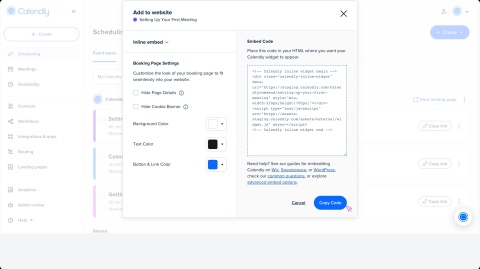

Let visitors book time with you without leaving your site. Embed Calendly in a few simple ways — no coding needed.
Select Your Embed Style
Choose the option that works best for your website:
- Inline embed – Calendly appears directly on your page.
- Pop-up text – A link opens the scheduling page in a pop-up.
- Pop-up widget – A floating button stays visible and opens a pop-up when selected.
Examples
See how each embed option looks:


Tip: Looking to customize your embed beyond these options? Learn more about our advanced embed options or visit our Developer Portal for advanced tools and resources.
Select Your Website Provider
Find tailored instructions for:
Start embedding Calendly
These Help Center articles walk you through each step:
- How to embed Calendly on your website
- How to customize your embed
- Advanced Calendly embed for developers
- How to embed Calendly in a mobile app
Was this article helpful?
Let us know so we can improve our content.